


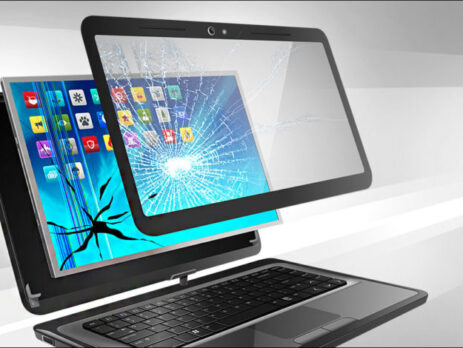
Understanding Laptop Screen Issues: General Awareness Guide
Laptop screens are an essential part of the device that allow users to interact with digital content. Over time, display components may show changes in behavior due to usage conditions, physical impact, or hardware aging.
This article provides general informational awareness about common laptop display symptoms and how users can understand them.
How Laptop Displays Work
A laptop screen is made up of multiple layers and components that work together to display images. These include:
- display panel (LCD, LED, or OLED)
- backlight system
- display cable connections
- protective outer layer
These components function together to produce visual output from the system.
Common Types of Screen Behavior Changes
Laptop displays may show different types of visual changes over time. These changes can vary depending on the device condition and usage.
Some commonly observed patterns include:
- visible lines on the screen
- flickering or unstable brightness
- color distortion or fading
- partial or uneven display output
- blank or dark screen appearance
Such behaviors may appear gradually or suddenly depending on the cause.
Physical Impact and Screen Condition
Laptop screens are sensitive components. Physical pressure, accidental drops, or strain on the device lid can affect display performance.
In some cases, physical impact may result in:
- visible cracks or marks on the display surface
- internal display inconsistencies
- changes in color or brightness patterns
The severity of impact varies based on the nature of the incident.
Internal Connection and Component Factors
Display output depends on internal connections between system components. Changes in display behavior may sometimes be influenced by:
- internal cable alignment conditions
- connector stability over time
- general wear of internal display components
These factors may contribute to variations in screen performance.
Software and System Influence on Display Behavior
Not all display issues are related to physical components. System software, graphics settings, and drivers may also influence how the screen behaves.
Possible influences include:
- system display configuration changes
- graphics processing load
- software updates or compatibility changes
Display behavior may vary depending on system activity.
Understanding Screen Variations
It is normal for electronic displays to show differences in behavior over time. Some changes may be temporary or related to system load, while others may be more persistent depending on hardware condition.
Observing patterns over time can help users better understand whether the behavior is consistent or situation-based.
Key Takeaway
Laptop screen behavior can vary due to a combination of hardware, software, and environmental factors. Understanding these general aspects can help users become more aware of how display systems function and change over time.